Browse & filter
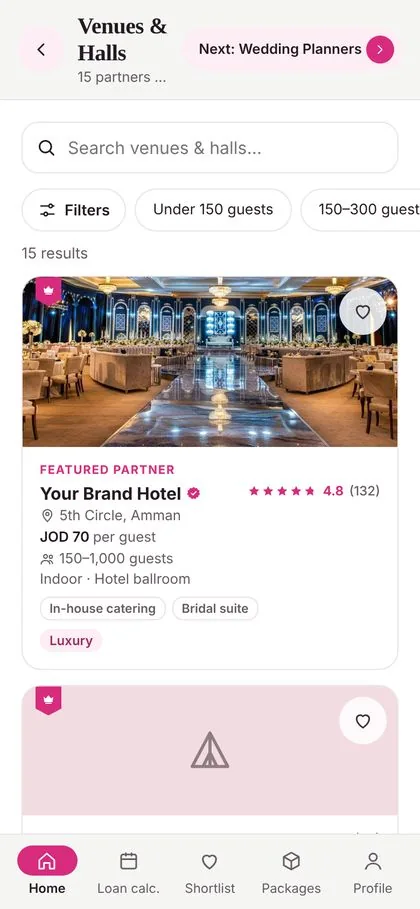
Every category lists its partners with photos, prices and ratings. Filter by guests, budget and setting.
weddyjo helps couples in Jordan find, compare and book their wedding vendors, then furnish their first home. Everything in one app.
From the ring to the key.
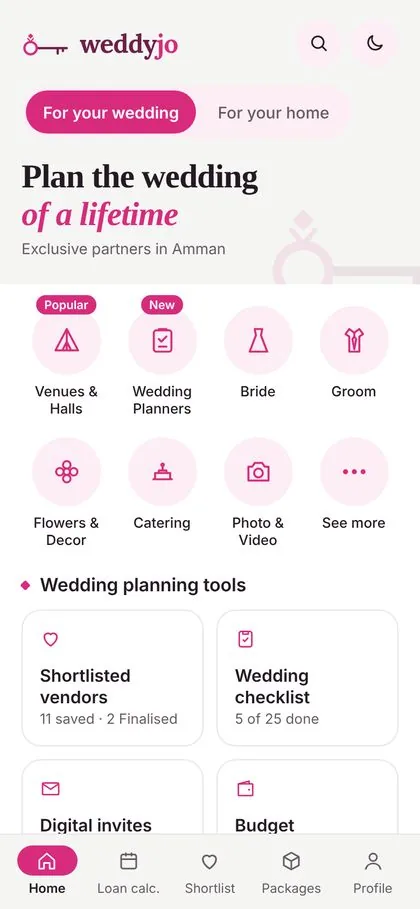
A switch at the top of the Home tab moves the whole app between Wedding (plum and pink) and Home (royal blue). Couples get the planning tools. Partners get the visibility.
Six tools couples use most. Tap “See the screen” on any card to view it.
Every category lists its partners with photos, prices and ratings. Filter by guests, budget and setting.
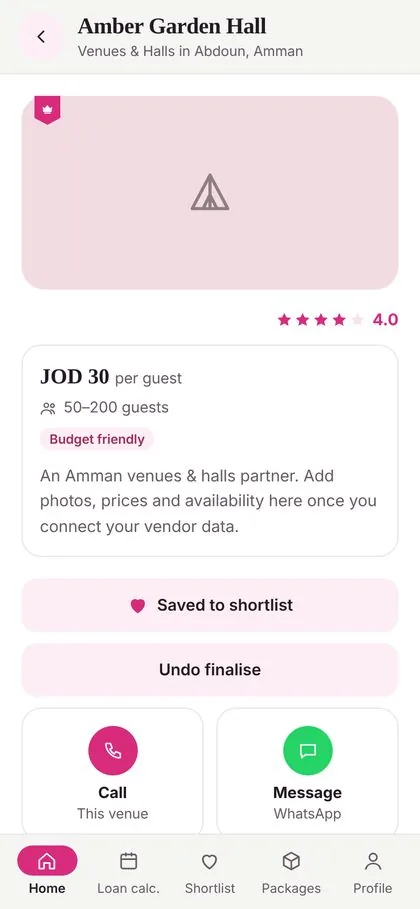
Price, capacity, area and details in one place, with Call and WhatsApp buttons.
See the best partners in each category, or type a name, a category or an area.
25 tasks by month, and a budget that updates from your picks.
Enter your budget and guest count, and get one suggested partner per category.
Share digital invites, or ask our team to call you back.
The bottom bar has five tabs. Here is what each one is for, followed by the pages you reach from them.
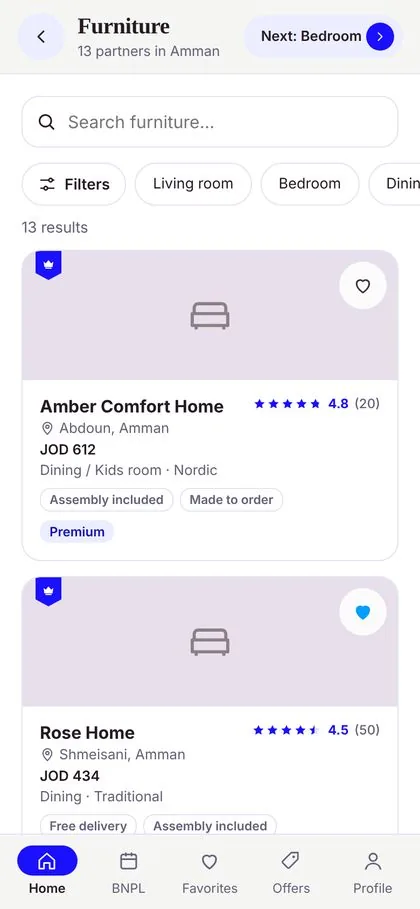
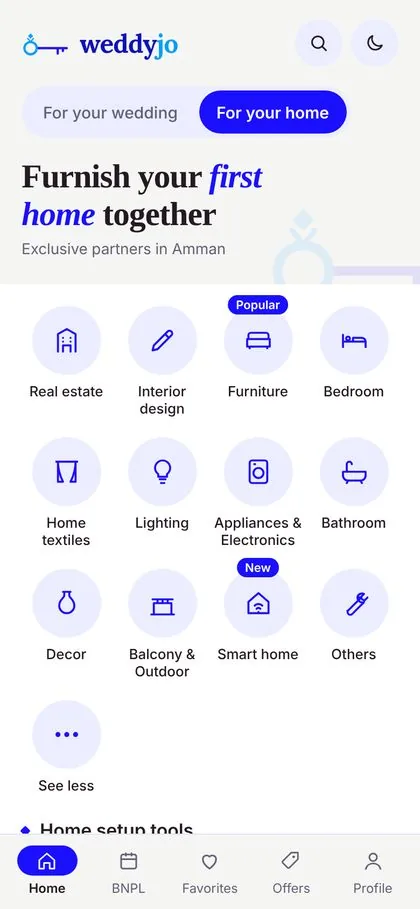
The same app, switched to For your home. The palette turns royal blue, the categories change to real estate, furniture, bedroom, appliances and more, and the bottom tabs become Favorites and Offers.
The Home tab opens with the category grid: Venues & Halls, Wedding Planners, Bride, Groom, Flowers & Decor, Catering, Photo & Video and more behind See more. Below it sit the planning tools, a Top picks strip, the Plan with AI banner and an app rating prompt.
The couple taps a category and lands straight in a list of partners. Badges like Popular and New point to what is trending.
Sliders for loan amount, duration and interest rate show the monthly payment, the total repaid and the interest. It is an estimate; the couple's bank sets the final rate.
A Talk to a financing partner button hands the couple to a concierge.
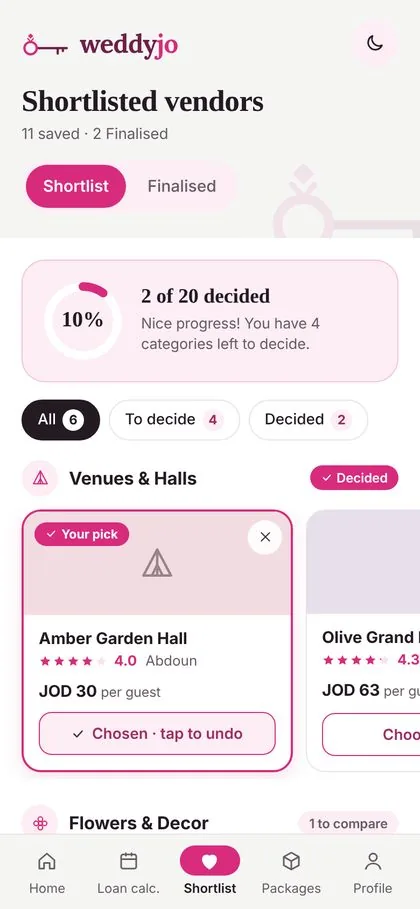
Every heart a couple taps lands here, grouped by category. A progress ring shows how many categories are decided (for example 2 of 20). Filters switch between All, To decide and Decided.
When a category has two or more saved options, a Compare view puts them side by side. Choosing one marks it as Your pick, and the checklist and budget update from it.
Three bundles, Silver, Gold and Premium, with an estimated price for the couple's guest count and a flag when a bundle is above budget. The flow is three steps: pick a package, we call you, get your quote.
For couples who do not want to compare twenty vendors, this is the shortcut.
A countdown in days, how many vendors are saved and how many are booked. Below that: personal information, bookings, the wedding checklist, budget and digital invites, plus benefits such as Plan with AI.
The couple's details (names, date, guests, budget) are entered once here and reused across the app.
Categories for the new home: Real estate, Interior design, Furniture, Bedroom, Home textiles, Lighting, Appliances & Electronics, Bathroom, Decor, Balcony & Outdoor, Smart home and Others, followed by home setup tools.
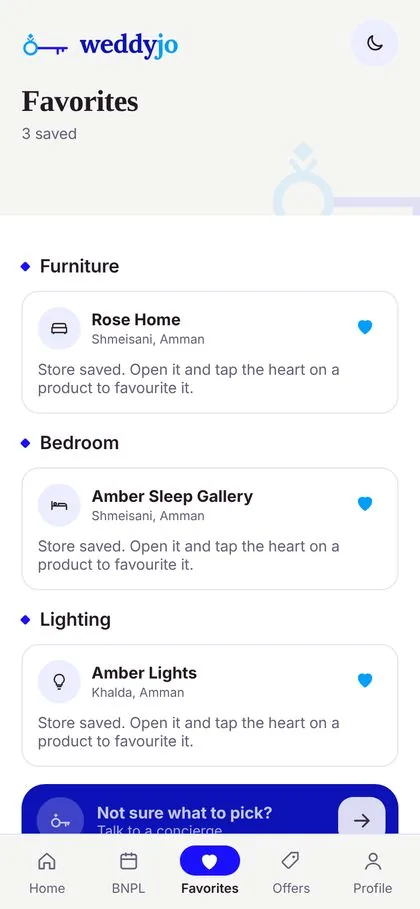
Couples can save a store or an individual product. Favourites are grouped by category, so it is easy to come back and compare.
Each partner can publish an offer such as a fixed discount, a percentage off a first order or buy-one-get-one. Each card shows the store and area, with a View button that opens the partner's page.
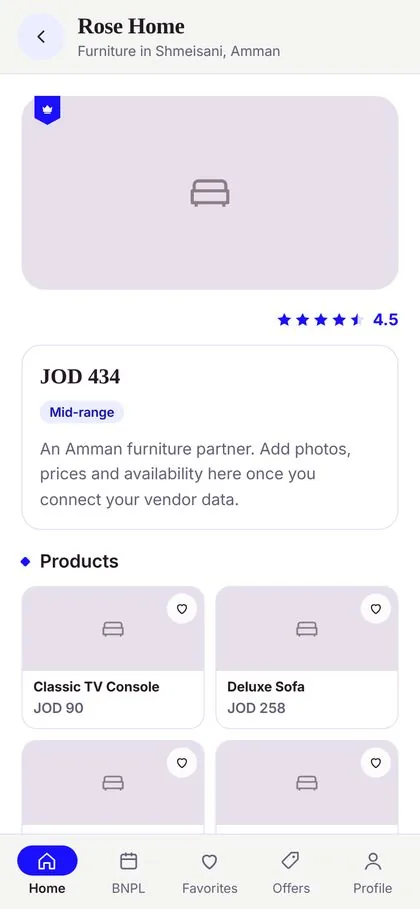
Home stores list the product catalogue on their page, each with a price and its own heart. Tags such as Free delivery, Assembly included and Made to order tell the couple what to expect.
Partners are the venues, planners, photographers, florists, furniture stores and others listed in the app. Here is what a couple sees, and what that means for the partner.
Every partner appears as a card with photo, rating, price, area and tags, and opens into a full profile. Sponsors carry a verified tick and a crown. Gold and Diamond partners carry a crown.
Direct: Call and WhatsApp buttons on the partner page, when a number is on the listing.
Through the concierge: the couple leaves a name, phone number, wedding date and guest count, and the weddyjo team calls back. A large call-center team answers calls, messages and emails 24/7. Partners get couples whose date and guest count are already known.
Home partners publish offers that appear in the Offers tab. Wedding partners can be part of the bundles in Packages. Both give a partner visibility beyond the plain category list.
The weddyjo team manages listings, photos, prices and packages from a built-in admin panel. The app records views, saves, calls and WhatsApp taps per listing, and Gold, Diamond and Sponsor partners receive that analysis by email every month.
Every partner begins as a Silver Listing, listed in its category at no cost and without extra perks. Silver stays free. Three paid levels sit above it, sold as yearly plans. Each one moves the partner higher in the category list, and all three also take places on Top picks. Prices are shared on request.
On the Top picks page of each category, the first place goes to the Sponsor, places two to five go to Diamond partners, and places six to ten go to Gold partners. Silver partners follow from #11, in rating order.
Every category has one Sponsor place, four Diamond places and five Gold places. When a level is full, a partner contacts us to join the waiting list for the next year. weddyjo decides which new venues take the places each year.
We are not saying when. Not yet. The first partners will know before anyone else. App download links will appear here on launch day.
Tap any screen to enlarge it. Includes sign-up, Arabic and dark mode.
All screens show sample data (sample partner names, prices and a sample couple). They are not real vendors, offers or customer details.
We have not announced the date yet. The first partners will know before anyone else, and download links will appear on this page on launch day.
Yes. weddyjo works in Arabic and English, in light and dark mode.
Message the partnerships team by email, Instagram or WhatsApp. Every partner starts as Silver, which is free.
They are yearly plans, and we share the price on request.
Contact us to join the waiting list for next year.
We reply on WhatsApp, by phone or by email.